


Instant Digital Access
The Instructional
Impact System
Your leadership team is already walking classrooms. Make sure all that observation actually leads somewhere.
You visit classrooms.
Your assistant principals visit classrooms.
Instructional coaches are noticing patterns.
Everyone is gathering information, but unless that information comes together in a way your team can actually see and use, it’s very easy for walkthroughs to become one more leadership practice that gets completed...
without really changing anything.
Because the goal was never to
just complete more walkthroughs.
The useful part comes after the walkthrough.
It’s noticing that your team has spent most of its classroom time in one grade level and barely visited another.
It’s realizing that checks for understanding are showing up consistently in some classrooms but rarely in others.
It’s noticing a lack of student discourse
across multiple learning walks.
It’s walking into a PLC already knowing which instructional conversation deserves more attention.
And it’s being able to say:
“This is what we’re seeing across classrooms, so this is where our support needs to go next.”
That is the job this resource set was built to help your team do.
Instant Digital Access
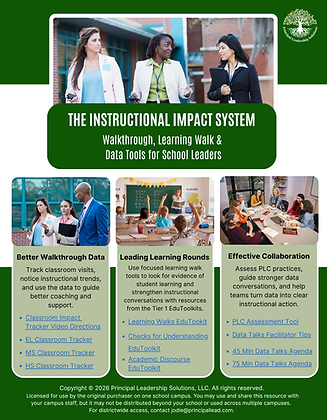
What’s Included
The Classroom Impact Tracker
Give your full administrative team one place to document classroom visits and see the bigger instructional picture.
The tracker is designed so multiple members of your leadership team can contribute walkthrough information in one shared spreadsheet.
The data collected on the walkthrough page feeds into a dashboard that makes the patterns easier to see.
Instead of digging through individual notes, your team can quickly look at things like
-
Where classroom visits are happening most often
-
Which grade levels are receiving more or less leadership visibility
-
Which subject areas your team is seeing
-
Patterns emerging across walkthrough observations
-
Where additional classroom evidence may still be needed
The difference?
You stop treating each walkthrough like an isolated visit and start looking at what your leadership team is seeing across the school.
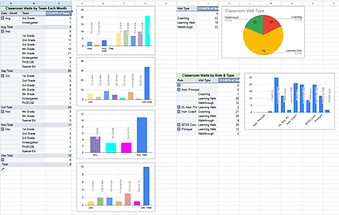

Separate versions are included for elementary, middle, and high school settings, along with video directions for using the tracker.
Learning Walk Resources
Learning walks work best when the team is clear on why they’re walking, what evidence they’re collecting, and what happens after the classrooms are visited.
This section gives school leaders the practical pieces to plan the process without building everything from scratch.
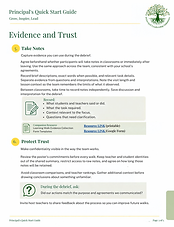
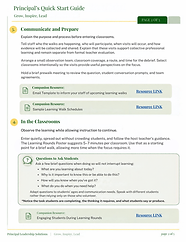
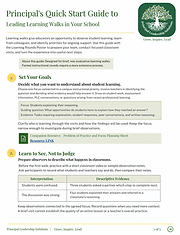
At the center is a 5-page Principal Quick Start Guide that walks leaders through setting up and leading learning walks with their admin teams and teacher leaders.
Inside, you’ll find links to resources for:
-
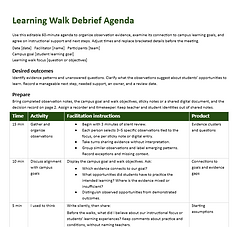
Debrief agendas to help teams move from “here’s what we saw” to a focused instructional conversation
-
Scheduling templates for planning learning walks across classrooms, grade levels, or content areas
-
Learning walk team training guidance so participants know the purpose, expectations, and norms before they begin
-
Learning Walk Evidence Collection Documents, available as both a printable version and a Google Form
-
Problem of Practice Planning Sheet to help the team identify the instructional question or area of focus before collecting evidence
-
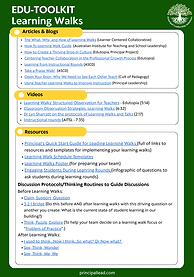
Learning Walks EduToolkit with additional support resources, including videos, discussion protocols, and articles leaders can use for team learning and follow-up
The goal is to help leaders run learning walks as a thoughtful evidence-gathering process, not a classroom tour.
Your team has support for planning the focus, preparing participants, collecting evidence consistently, and debriefing what they observed so the learning walk can actually inform next steps.



Tier 1 Instructional EduToolkits
Walkthrough data is much more useful when leaders know what strong classroom practice should actually look and sound like.
The system includes Tier 1 instructional resources focused on:
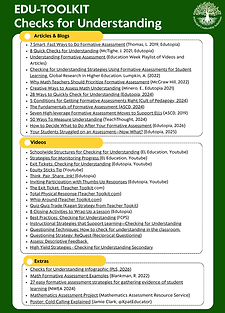
Checks for Understandingand and
Academic Discourse
These resources give leadership teams a clearer instructional reference point and can also support follow-up coaching, professional learning, and teacher conversations when walkthrough patterns show that one of these areas needs attention.

PLC + Data Talk Resources
Seeing an instructional pattern is one thing.
Helping a team talk about it productively is another.
The Instructional Impact System includes resources to help leaders strengthen the conversations that happen after the data is collected, including:
-
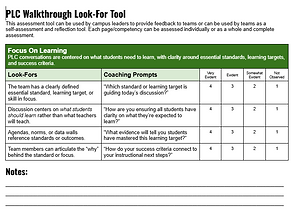
A PLC Assessment Tool
-
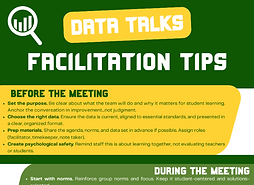
Data Talks Facilitator Tips
-
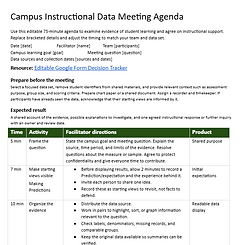
45-Minute Data Talks Agenda
-
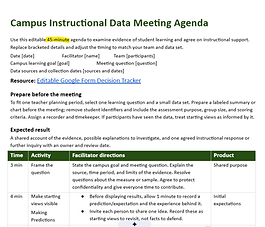
75-Minute Data Talks Agenda
So instead of dropping data into a meeting and hoping the conversation goes somewhere useful, your team has a structure for examining it and deciding what to do next.
Instant Digital Access
This is for the school leader who...
Already expects administrators to be in classrooms but wants those visits to produce more useful information.
Wants the leadership team looking for common instructional evidence instead of everyone paying attention to something different.
Has plenty of walkthrough notes but no clean way to spot trends across them.
Wants learning walks to result in useful professional conversation rather than a tour of classrooms.
Needs a better bridge between what leaders observe and what teachers receive in coaching, PLC support, and professional learning.
Or has ever sat in a leadership meeting and heard: “We seem to be seeing...”
...and wished the team had actual data to confirm it.
Instant Digital Access


© 2026 Principal Leadership Solutions, LLC · All Rights Reserved · Privacy · Terms and Conditions
Each purchase includes permission for use on one school campus only. Resources may be copied, printed, customized, and shared with your campus staff, but may not be shared, posted, resold, or distributed beyond your campus. For districtwide or multi-school access, contact jodie@principallead.com.